
RFID Tool System · T21-10
Stop searching.
Know who has it.
Shared tools. A unique digital identity. RFID records which tagged tools are taken and returned.
Process illustration · T21-10 with connected main unit
01 / AN IDENTITY FOR EVERY TOOL
The cabinet knows
what is inside.
An empty space does not tell you who has the tool. A recorded loan does.
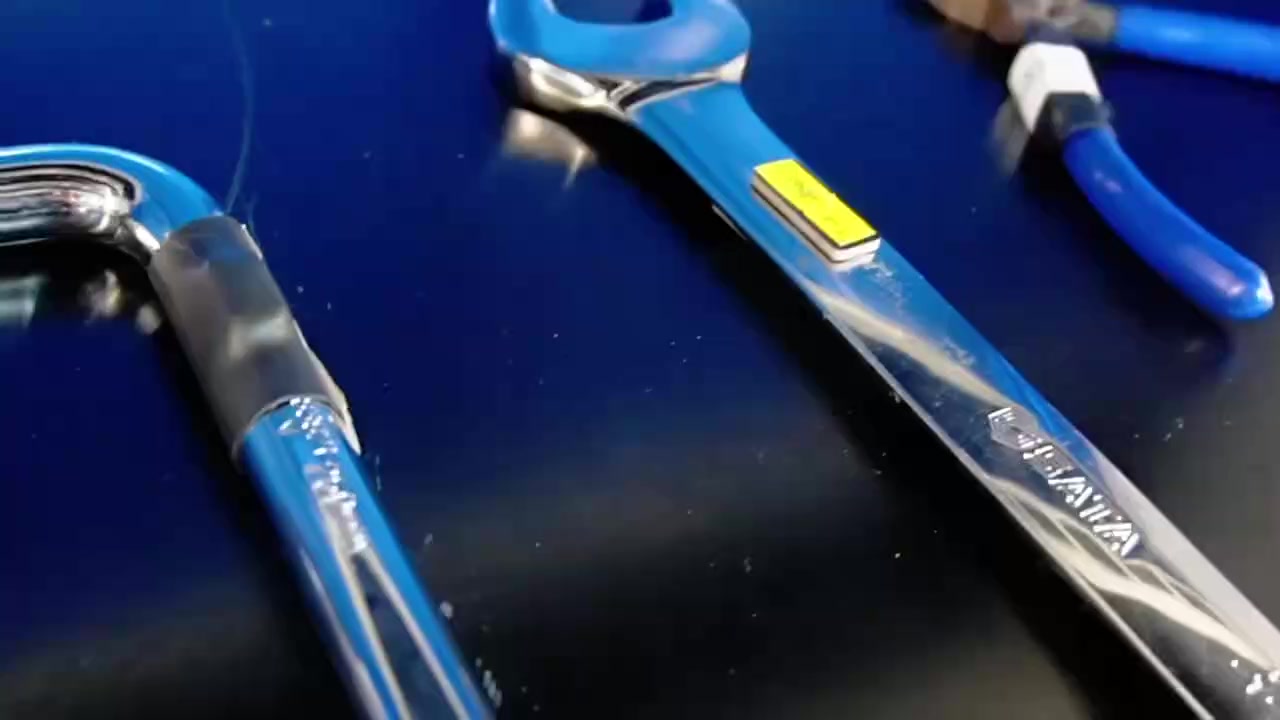
A dedicated RFID tag makes each tool identifiable.
Small tag.
Big difference.
Each tool is first fitted with a suitable RFID tag linked to the item in the software. The cabinet reads these tags wirelessly and compares the tools present before and after use.
This shows which item was taken or returned, by whom and when. Users do not have to scan each tool individually.
Suitable on-metal tags are selected for metal tools. Tag placement and readability are tested during setup.
02 / FROM HAND TO RECORD
Take the tool.
The record follows.
Borrowing and returning in one familiar workflow. The T21-10 is operated through a connected main unit.
Gain access
The user signs in at the main unit using the configured identification method and permissions.
Open the cabinet
Select the borrowing or return process on the controls. The connected cabinet becomes accessible.
Take tools
Take the tools you need or place used items back in the cabinet.
Maintain visibility
After closing, the cabinet reads the tags and records changes in the tool inventory.
THE SAME TOOL. A DIFFERENT STATUS.
Not just how many.
Also which individual item.
A torque wrench is taken. The record links this specific tool to the user. Colleagues can see that it is in use.
Illustrative example, not a software screenshot.
RFID / TOOL-ID 024
Torque wrench
Assigned to: user 001
item available in the cabinet
Latest event: withdrawal recorded
03 / THE MODEL
T21-10.
Room for your tools.
An RFID expansion cabinet with five adjustable shelf levels. For shared tools, measuring equipment and suitable individually tagged parts.
T21-10
- Dimensions · H × W × D
- 1950 × 1200 × 560 mm
- Shelf levels
- 5 · height-adjustable
- Load capacity per level
- 60 kg
- Total load capacity
- 300 kg
- Identification
- RFID tags on tools
- Controls & identification
- Via connected main unit
- Process
- Borrowing and returning
The main unit, suitable tags and software setup are tailored to your application. The T21-10 is not a standalone cabinet.
Discuss this model ↗04 / FROM RECORDS TO MANAGEMENT
Available.
On loan.
Back again.
Borrowing and return history shows who is using a tool and which items are available. The next shift starts with a clear overview.
Discover Selecore Cloud Platform ↗RFID TOOL SYSTEM → MANAGEMENT ENVIRONMENT
Every toolhas its own history.
Depending on software configuration: overdue return reminders, alerts for misplaced returned items and support for inspection schedules.
Technical services · Maintenance & MRO · Production · Assembly · Shared workshops
05 / THE RIGHT CHOICE
Which system suits
your tools?
How does it differ from SmartWeight?
SmartWeight records material consumption through weight changes. RFID identifies the specific tool by its tag. This is particularly useful for items that are borrowed and need to be returned.
View SmartWeight ↗How does it differ from SmartLocker?
SmartLocker controls access to individual compartments. The RFID cabinet identifies individually tagged items inside. The choice depends on your tools and desired borrowing and return process.
View SmartLocker ↗Does every tool need a tag?
Yes. Automatic identification uses suitable RFID tags linked to the tools and software beforehand. Selecting the right tag and mounting position is part of setup.
Can the T21-10 operate on its own?
This model is an expansion module. Controls and user identification run through a suitable connected main unit. Together, we determine the right combination for your situation.
YOUR NEXT STEP
The right tool.
At the right time.
Tell us what you lend out and how your team works. Together, we determine whether RFID is the right solution.